A fire alarm system is a crucial safety feature that alerts occupants to potential fire hazards ensuring timely evacuation and response. However there are situations where a fire alarm may need to be turned off temporarily such as during false alarms, system maintenance, or after resolving an emergency. Knowing how to disable the system safely and appropriately is essential to avoid unnecessary disruptions while maintaining safety compliance.
This guide outlines the general steps to turn off a fire alarm system responsibly while also addressing common questions and considerations.
Understanding Fire Alarm Systems
Before attempting to turn off a fire alarm, it’s important to understand the components involved. Fire alarm systems typically consist of:
- Smoke and Heat Detectors: Devices that detect fire-related elements and trigger the alarm.
- Control Panel: The central hub that monitors and manages the system.
- Audible and Visual Alarms: Sirens, horns, and strobe lights that alert occupants.
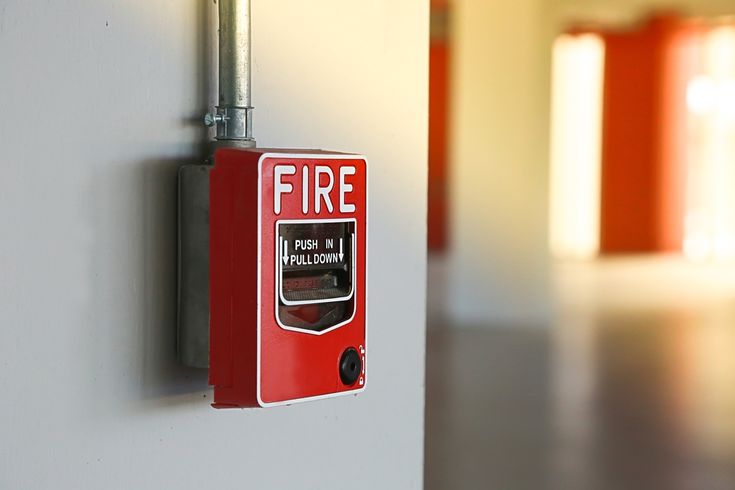
- Manual Pull Stations: Devices that allow users to manually activate the alarm.
Disabling the system improperly may result in system malfunction, fines, or safety risks. Always consult the fire alarm manual and local safety regulations before proceeding.
Situations Where Turning Off a Fire Alarm May Be Necessary
There are specific circumstances that may warrant turning off a fire alarm system:
- False Alarms: Caused by smoke from cooking, steam, or other non-threatening conditions.
- Testing or Maintenance: When technicians need to inspect or repair the system.
- After a Fire: Once the fire has been extinguished, and it’s safe to reset the system.
It’s crucial to only turn off the alarm system if you’re certain that there is no immediate danger.
General Steps to Turn Off a Fire Alarm System
Locate the Fire Alarm Control Panel
The control panel is usually installed in an accessible area, such as a utility room, hallway, or near a building’s entrance. It serves as the system’s central command and displays information about the alarm’s status.
Check for Active Alarms
Inspect the control panel to determine the cause of the alarm. Modern systems often include display screens or indicator lights that show whether the alarm was triggered by smoke, heat, or manual activation.
Silence the Alarm
Once you’ve confirmed that the alarm is a false trigger or the situation has been resolved, locate the silence button on the control panel. Pressing this button will stop the audible alarm while leaving the system’s monitoring functions active.
Reset the System
After silencing the alarm, you may need to reset the system to clear the alarm memory and restore normal functionality. This usually involves pressing the reset button on the control panel.
Disable Specific Zones (If Applicable)
Some systems allow for isolating specific zones while keeping the rest of the system active. This is useful for addressing localized issues without compromising the building’s overall safety.
Fire Alarm System Models and Variations
Different fire alarm systems may have unique procedures for turning them off. Always refer to the user manual for specific instructions. Common system brands, such as Honeywell, Siemens, or Simplex, may include proprietary features or control panel layouts.
If you’re unsure how to operate your system, consult a licensed fire alarm technician for assistance.
Safety and Compliance Considerations
Disabling a fire alarm system carries potential risks and legal implications. Here’s how to ensure safety and compliance:
- Notify Occupants
Inform everyone in the building about the situation and confirm that it’s safe to remain inside. - Alert the Fire Department
If the alarm has alerted emergency services, contact them immediately to explain the situation and prevent unnecessary dispatch. - Adhere to Regulations
Fire safety codes and regulations vary by jurisdiction. Ensure you follow local laws regarding fire alarm operation.
Preventing False Alarms
To minimize the need for turning off the fire alarm system, consider implementing measures to reduce false alarms:
- Install the Right Detectors
Use heat detectors in areas prone to smoke or steam, such as kitchens or bathrooms. - Maintain the System
Regularly inspect and clean detectors to prevent dust buildup, which can trigger false alarms. - Educate Occupants
Ensure everyone understands how to use the system properly, including avoiding accidental manual activations.
When to Call a Professional
If the fire alarm system fails to silence or reset, or if you’re unsure how to operate it, seek professional assistance. Fire alarm technicians are trained to troubleshoot and resolve system issues while ensuring compliance with safety standards.
Additionally, if the system continues to trigger false alarms despite maintenance efforts, it may require a thorough inspection or upgrade to newer technology.
Conclusion
Turning off a fire alarm system safely requires a clear understanding of the security systems component functions, and regulations. Always approach the task with caution, prioritizing the safety of everyone involved. Whether addressing a false alarm, performing maintenance, or resolving an issue after an emergency, following proper procedures ensures the system remains effective and compliant.
If in doubt, consult the system’s manual or contact a licensed professional to avoid unnecessary risks. Fire alarm systems are critical for protecting lives and property, so handling them responsibly is essential.