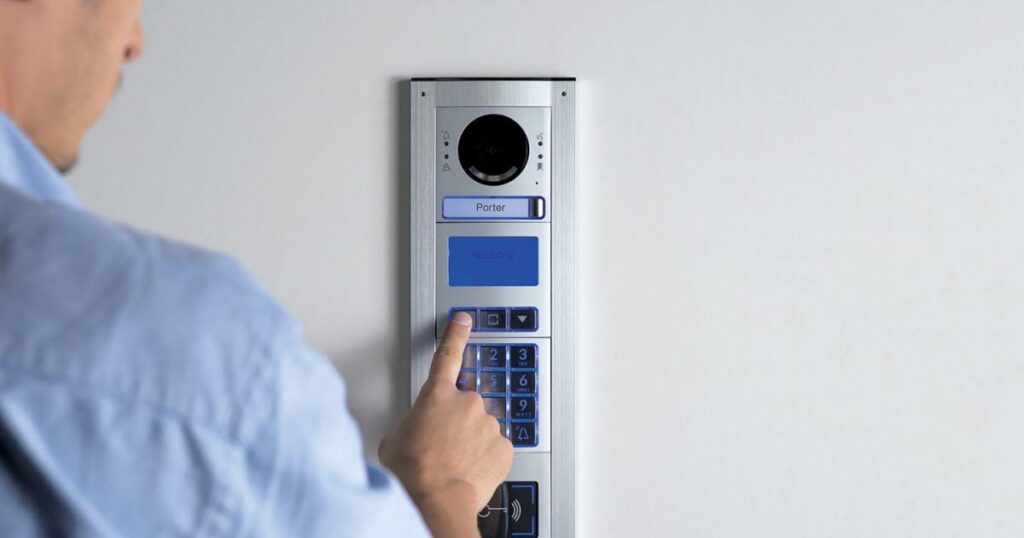
In the age of smart technology, intercom systems have evolved far beyond traditional audio communication. Modern intercoms now integrate with smartphones, offering convenience, security, and remote access. One of the most practical features of these systems is the ability to open a door directly using your phone. Whether you’re at home, in the office, or miles away, this functionality provides seamless control over who can enter your premises.
What Is a Smartphone-Integrated Intercom System?
A smartphone-integrated intercom system allows you to communicate with visitors and control access to your building using your mobile device. These systems connect to a smartphone app via Wi-Fi, Bluetooth, or a cellular network, providing a direct line between your phone and the intercom.
Whether it’s a residential building, office space, or gated property, this technology enhances security and convenience by making access control easy and remote.
How to Open an Intercom Door with Your Phone
Here are the typical steps to unlock an intercom door using your phone:
1. Install the Intercom App
Most modern intercom systems require a companion app to connect your phone to the system. Download the specific app provided by the intercom manufacturer from your app store. Popular intercom apps include Ring, Aiphone, DoorBird, and others.
2. Connect Your Phone to the Intercom
Once you’ve installed the app, follow the manufacturer’s instructions to pair your phone with the intercom system. This process usually involves:
- Connecting to the intercom via Bluetooth or Wi-Fi.
- Scanning a QR code on the intercom device.
- Entering a unique pairing code provided by the manufacturer.
3. Receive Visitor Notifications
When a visitor presses the intercom button, you’ll receive a notification on your smartphone. The app will display real-time video (if the intercom has a camera) and allow you to communicate with the visitor through two-way audio.
4. Authenticate the Visitor
Use the app to verify the visitor’s identity. This can be done by talking to them or, in the case of advanced systems, using facial recognition or video verification.
5. Unlock the Door
Once you’re satisfied with the visitor’s identity, press the “unlock” button within the app to open the door. The app sends a signal to the intercom system, which activates the door lock mechanism.
Benefits of Using Your Phone to Open an Intercom Door
1. Enhanced Convenience
Opening a door with your phone eliminates the need to physically approach the intercom system. Whether you’re relaxing at home or away from the property, you can control access with a few taps on your phone.
2. Increased Security
Smart intercom systems allow you to see and speak to visitors before granting access. Some systems also record activity, providing an extra layer of security.
3. Remote Access
Perhaps the most significant advantage is the ability to open doors remotely. If you’re at work and a delivery arrives at home, you can unlock the door for the courier without being physically present.
4. Integration with Other Smart Devices
Smart intercom systems often integrate with other devices, such as cameras, alarm systems, and smart locks, creating a comprehensive home or office security solution.
5. Multi-User Access
Some intercom apps allow multiple users to access the system, which is useful for families, roommates, or office teams.
Tips for Using Smartphone-Integrated Intercoms
- Secure Your App: Protect the app with a strong password or biometric authentication to prevent unauthorized access.
- Keep Software Updated: Regularly update the app and intercom firmware to ensure security features are up to date.
- Test the System: Periodically test the intercom system to confirm the connection between your phone and the intercom is working properly.
- Monitor Visitor Logs: Use the app to check visitor history, especially if you missed a notification.
Choosing the Right Intercom System
When selecting an intercom system that integrates with your phone, consider the following:
- Compatibility: Ensure the system is compatible with your smartphone and network.
- Features: Look for features such as video capabilities, remote unlocking, and integration with other smart devices.
- Ease of Use: Choose a system with a user-friendly app and straightforward setup process.
- Security: Opt for systems with encrypted communication and secure data handling.
Final Thoughts
Opening an intercom door with your phone is a game-changer in access control, combining convenience and security in one solution Like OTAlaram Security Solution. As smart technology continues to evolve, smartphone-integrated intercom systems are becoming more advanced and accessible.
Whether you’re upgrading your home security or managing an office building, integrating your intercom with your phone ensures that you’re always in control no matter where you are.